Take a look at some of the key features of the application
Easily Customization everything with our admin panel
We ensure fast loading with most advanced technology
We have the best value for money plan in the market
All you images and assets are securely stored in cloud
We use cutting edge Technology to ensure best experience
We ensure 100% satisfaction for all our customers
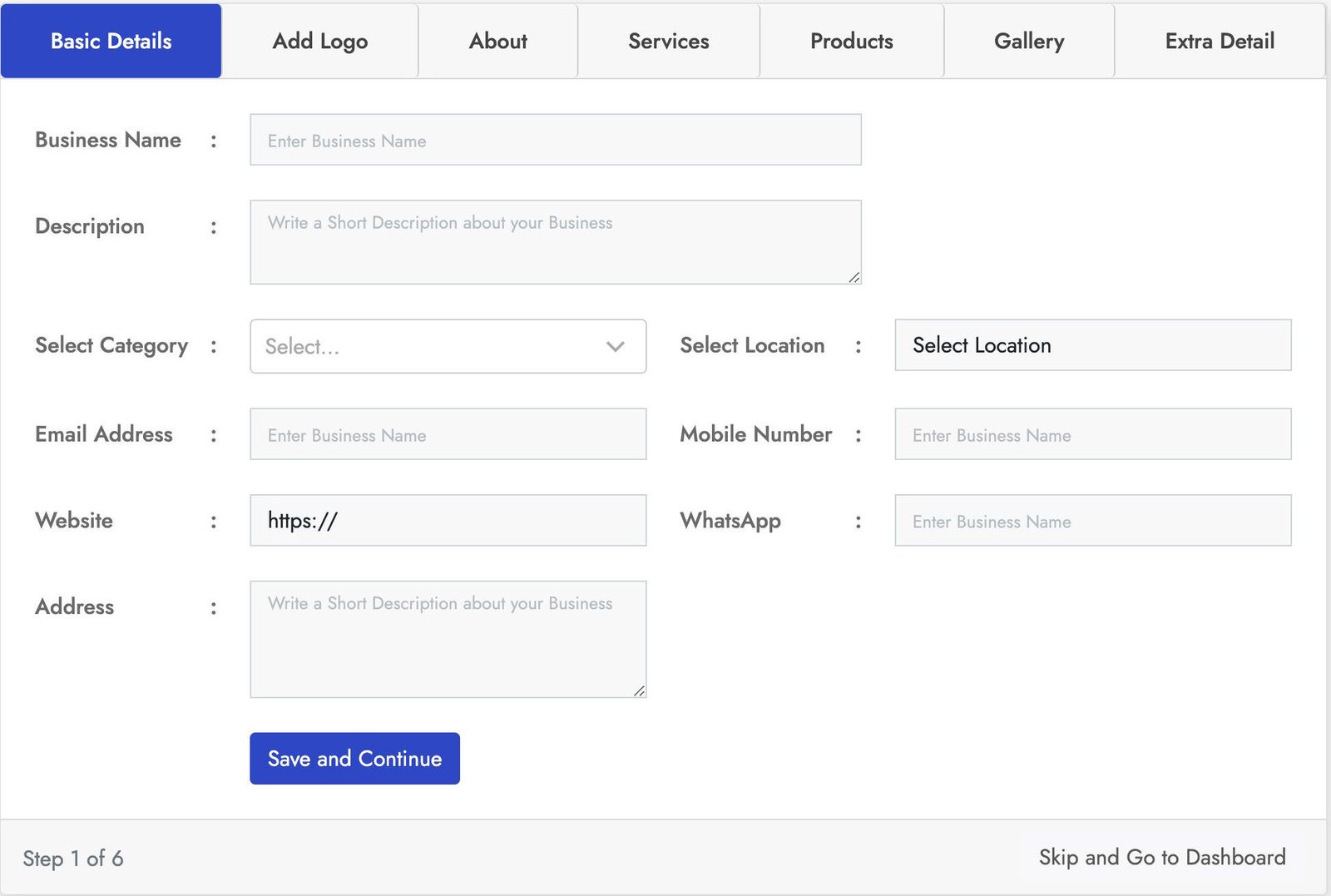
Stylish login form with lot of key features. This Business registration for has seven sections Basic Details, Add logo, About, Products, Services, Gallery, Extra Details.
You can crop the user image for best fit. You can add business services using service section and also you can add products of the business using the product section using the product section. With the gallery section you can add images to the business also you can add more details using the Extra Details.
Stylish login form with lot of key features. This Business registration for has seven sections Basic Details, Add logo, About, Products, Services, Gallery, Extra Details.
You can crop the user image for best fit. You can add business services using service section and also you can add products of the business using the product section using the product section. With the gallery section you can add images to the business also you can add more details using the Extra Details.
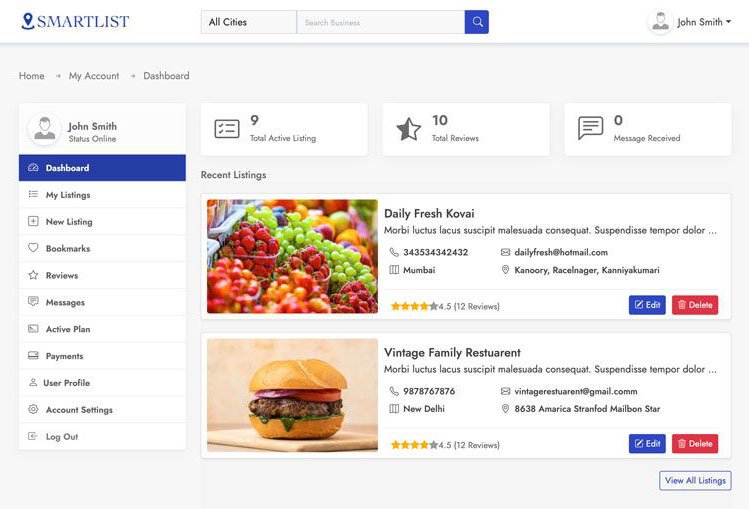
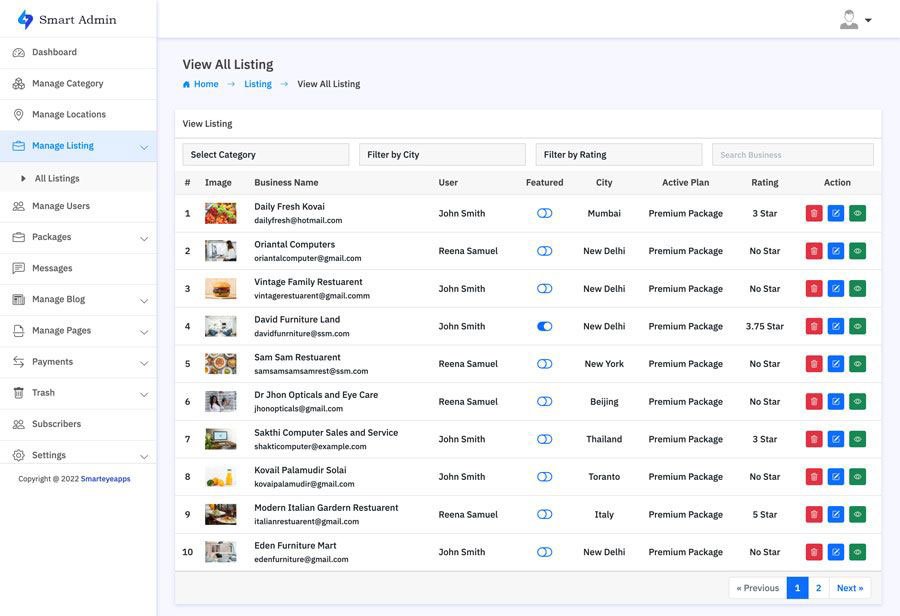
This is one of the best and easy to use admin panel. In the admin dashboard you will find all the most important information. With the manage business section you can manage all the business and also you can block all and restore users.
In the the Manage Review section you can manage all the use reviews and also you can remove and restore users. You can also create your own packages based on you business plan. With the transaction section track all the successful an un successful transactions. You can also manage category, location, Reviews, Messages, Subscribes and much more.
Smart Directory is also available on Codester
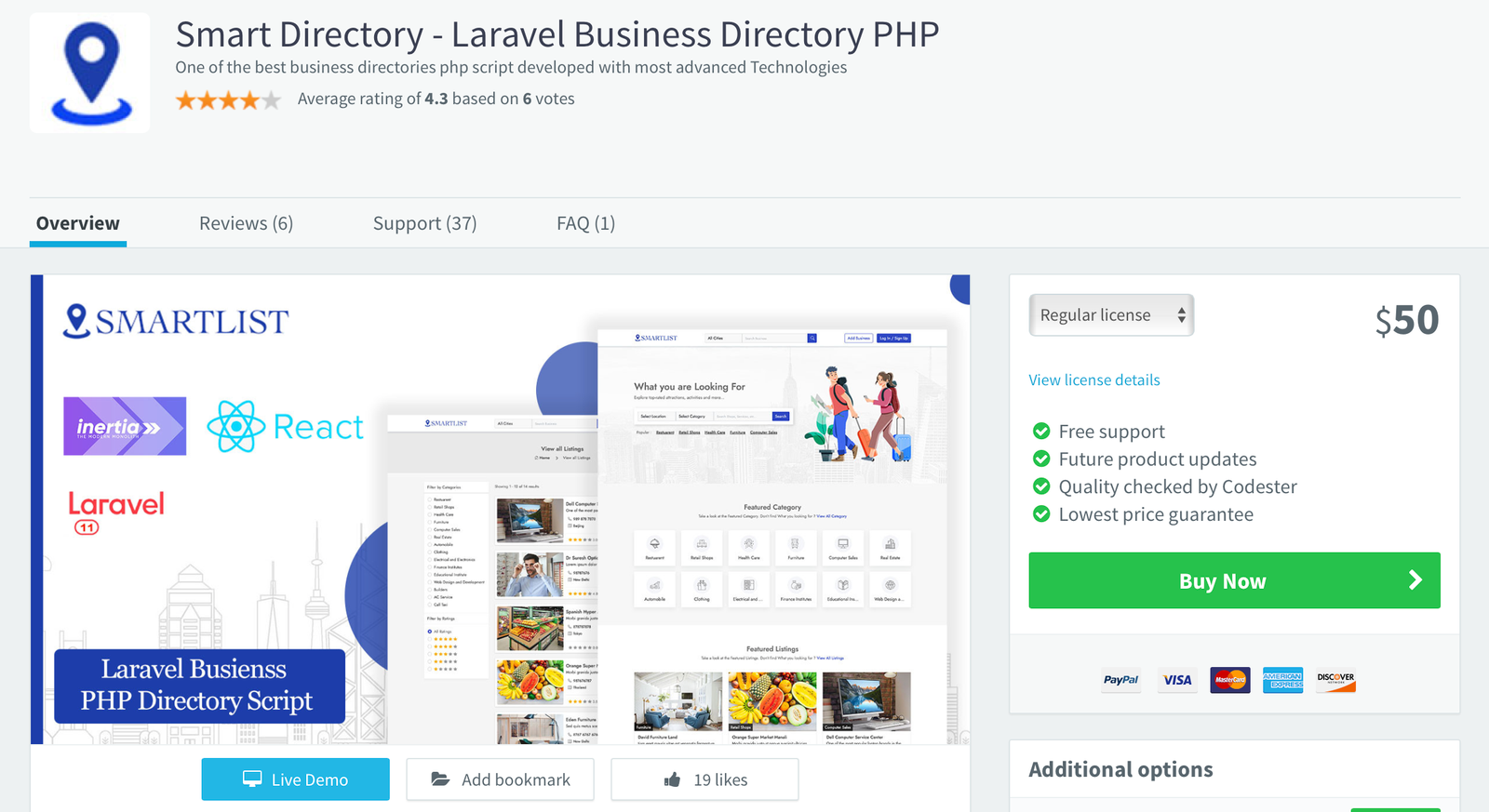
For users who prefer a trusted marketplace, Smart Directory is also available on Codester. If you don’t want to purchase directly from our website or are unsure about buying from an unfamiliar source, you can safely get it from Codester with full buyer protection and secure payment options.
We’ve been an active seller on Codester since 2018, building a strong customer base with reliable scripts and trusted support. So, if you prefer to purchase through a secure and well-known marketplace, you can confidently get Smart Directory from Codester with full buyer protection and safe payment options.
Take a look at our Attractive Pricing
For Student and for hobby projects
0$Single Domain/Website License
40$In conclusion, judging G Wolves software requires a nuanced lens. It is neither a complete failure nor a competitive success. For the dedicated enthusiast willing to navigate its obtuse menus, outdated UI, and questionable distribution channels, the software offers a level of low-level tuning—particularly debounce and LOD control—that rivals or exceeds much more expensive competitors. Yet, for the broader market, the experience is a significant friction point. G Wolves has mastered the physics of the hand, but they have not yet mastered the art of the digital interface. As the brand continues to grow, the software represents their most glaring weakness. To truly compete with the titans of the industry, G Wolves must recognize that a great mouse is not just about what you hold, but also about how you configure. Until the software experience matures to match the hardware innovation, users will continue to feel a familiar frustration: holding a masterpiece in their hand while wrestling with an afterthought on their screen.
Perhaps the most frustrating aspect of the G Wolves software ecosystem is the concept of “on-board memory.” While many of their newer mice include on-board storage, the software’s implementation is often counterintuitive. A user can set their perfect DPI, polling rate, and debounce settings, but if they close the software or uninstall it, the mouse may revert to a default profile. Unlike industry leaders where settings are written permanently to the device, G Wolves software often requires the application to remain running in the system tray—consuming background resources, which defeats the minimalist, low-latency ethos of the mouse itself. This creates a paradoxical loop: you buy an ultralight mouse to reduce friction, but you must run background software to keep it configured. g wolves software
At its core, the G Wolves software (typically a unified driver for models like the Skoll, Hati, or HSK series) is undeniably functional. It provides the essential toolkit expected of any modern gaming mouse: programmable buttons, DPI adjustments in granular steps, lift-off distance (LOD) configuration, macro recording, and RGB lighting controls. For the competitive player, the most critical feature is the ability to adjust debounce time. Unlike mainstream brands that lock this setting behind vague sliders, G Wolves allows users to set the debounce delay as low as 0 or 2 milliseconds. This feature, aimed at reducing click latency, is a testament to the brand’s hardcore audience—players who want absolute control over every microsecond of input. In this sense, the software succeeds: it offers the deep, technical customization that esports enthusiasts and aim trainers crave. In conclusion, judging G Wolves software requires a
However, the journey to access these powerful settings is where the software falters. The first major hurdle is acquisition and trust. G Wolves does not maintain a centralized, consistently updated driver repository on a polished official website. Users often find themselves navigating third-party cloud drives, Reddit threads, or Discord pins to locate the correct version for their specific mouse model. This decentralized distribution model is a significant barrier, creating confusion for new users and raising legitimate security concerns about downloading executables from unofficial sources. For a brand selling premium products, this lack of a streamlined, secure download portal feels less like a minor inconvenience and more like a fundamental oversight. Yet, for the broader market, the experience is
Once installed, the user interface (UI) presents another challenge. The software’s aesthetic can best be described as utilitarian to the point of neglect. Windows often appear dated, with low-resolution icons, awkward Chinese-to-English translations, and a layout that feels like a relic from the early 2010s. Tooltips are sparse, and advanced features like “Motion Sync” or “Angle Snapping” are toggled without clear explanation. For a novice user, accidentally enabling a setting that ruins their aim—and not knowing how to revert it—is a genuine risk. This is a stark contrast to the polished, intuitive dashboards of Logitech’s G Hub or Razer’s Synapse. The G Wolves software does not guide the user; it demands that the user already knows what they are doing. It is software designed by engineers for engineers, not for the average consumer.
In the fiercely competitive world of competitive gaming peripherals, G Wolves has carved out a distinct, almost mythical niche. Known for pushing the boundaries of weight reduction—producing mice like the HSK Pro and the HTS Plus that feel less like devices and more like exoskeletal extensions of the hand—the brand has cultivated a cult following. However, one topic consistently divides the community and complicates the brand’s narrative: the G Wolves software. While the hardware represents a relentless pursuit of physical minimalism, the accompanying software suite often feels like its philosophical antithesis. An honest examination reveals that G Wolves software is a study in contrasts: a powerful, feature-rich utility hampered by a clunky user experience, ultimately reflecting the brand’s prioritization of raw hardware performance over polished digital ecosystems.